How to Set Up a Charging Station for Your Devices at Home

Setting up a dedicated charging station for your devices can simplify your daily routine and help keep your space tidy. Whether you have smartphones, tablets, wireless earbuds, or other gadgets, having one spot to charge them all makes life easier and extends the lifespan of your devices by using proper chargers.
In this post, we’ll guide you through the process of creating an efficient and organized charging station at home. From choosing the right location to picking chargers and managing cables, you’ll find practical tips to make your setup both functional and stylish.
Why Create a Charging Station?
Before diving into the setup steps, it’s helpful to understand the benefits of having a charging station:
– Organization: Avoid tangled cords and cluttered spaces.
– Accessibility: Always know where your devices are and ensure they’re charged.
– Safety: Reduce the risk of overheating or damage by using the correct chargers.
– Aesthetics: Keep your room looking neat and modern.
Step 1: Choose the Best Location
Start by selecting a convenient spot in your home. Common places include:
– A desk or workspace
– A living room side table
– A central hallway table
– A nightstand in the bedroom
Pick a location near power outlets to avoid extension cords. Consider a place with good ventilation to prevent chargers and devices from overheating.
Step 2: Determine Which Devices to Include
List all the devices you want to charge regularly. Typical items may include:
– Smartphones
– Tablets and e-readers
– Wireless earbuds or headphones
– Smartwatches and fitness trackers
– Portable gaming devices
– Bluetooth speakers
Knowing your devices will help you decide how many charging ports and cables you’ll need.
Step 3: Choose Your Charging Equipment
Depending on your devices and preferences, you have several options:
Multi-Port USB Chargers
These chargers have several USB ports in one unit and reduce the number of wall plugs used. Look for models with smart charging technology that adjusts power according to device needs.
Wireless Charging Pads
If many of your devices support wireless charging, consider adding a wireless charging pad or stand. Some models combine multiple wireless chargers in one base.
Charging Dock Stations
Charging docks are designed for specific devices or multiple gadgets. For example, some docks can charge a phone, smartwatch, and earbuds simultaneously in one compact unit.
Power Strips with USB Ports
If you have many devices and traditional plugs, a power strip with USB ports can provide flexibility and keep cables centralized.
Step 4: Organize Cables and Accessories
Cable management is key to a neat charging station. Some tips include:
– Cable Clips: Use adhesive clips to secure cables along edges or furniture.
– Cable Sleeves or Tubes: Bundle multiple cords together neatly.
– Labels: Mark cables to identify chargers and devices easily.
– Cable Boxes: Hide excess cable length inside a box designed for cables and power strips.
Keeping cables untangled prevents wear and makes swapping devices easier.
Step 5: Set Up a Charging Station Surface
Choose or create a surface to hold your chargers and devices. Options include:
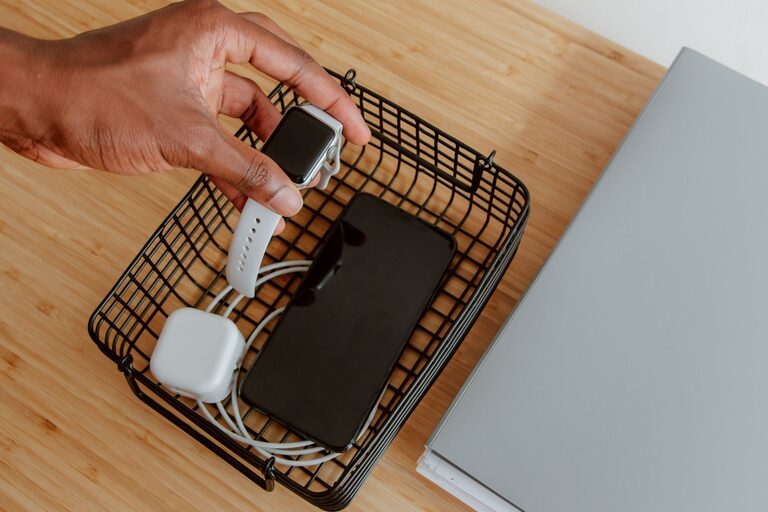
– A small tray or shallow basket to hold devices.
– A drawer organizer adapted for cables and chargers.
– A floating shelf with power outlets underneath.
– A repurposed wooden box with cutouts for cables.
Make sure the surface is stable and has enough space to keep devices separated to avoid scratches.
Step 6: Maintain Your Charging Station
To keep your setup working well:
– Regularly check cables and chargers for damage.
– Remove dust and debris.
– Rotate devices if some are not used often to keep batteries healthy.
– Upgrade chargers and cables when needed to support faster charging or new devices.
Bonus Tips for an Effective Charging Station
– Use Color-Coded Cables: Assign different colors to cables for easy identification.
– Include a Small Light: A clip-on LED or night light helps find devices in the dark.
– Keep Extra Batteries or Power Banks Nearby: Useful for charging on the go.
– Personalize Your Station: Add decorative elements like plants or photos to blend with your room style.
Final Thoughts
Creating a charging station is both practical and rewarding. It helps protect your devices, reduces clutter, and keeps your space looking tidy. By following these steps and choosing the right gear for your needs, you can set up a station that simplifies your tech routine and adds convenience to daily life.
Take a little time to plan and organize, and you’ll enjoy having all your devices ready and waiting in one neat spot. Happy charging!